1.5
Improvements Everywhere!
Additions & Improvements🍿
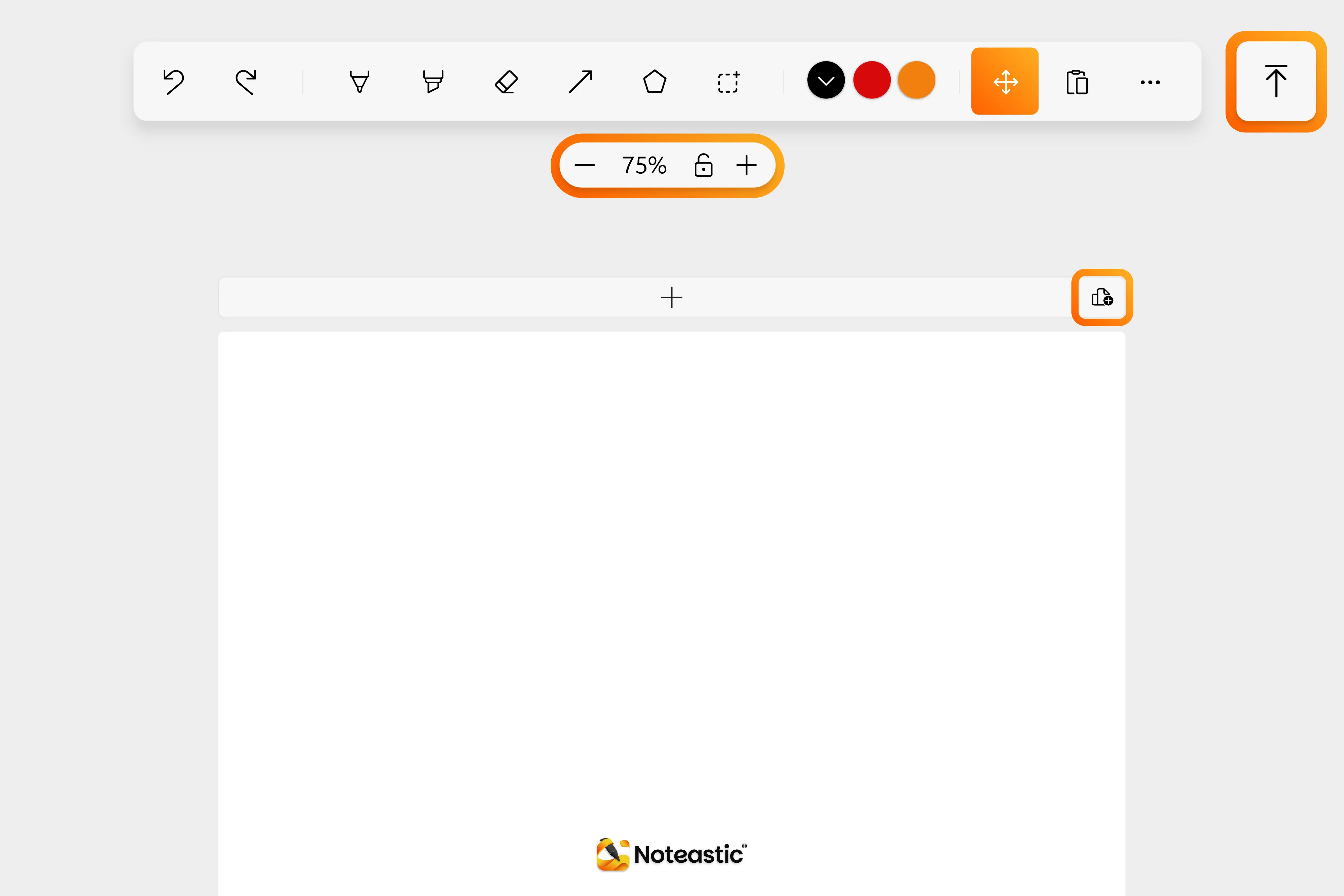
- NEW: Panning Tool - Now you can move around the page easily without having to touch the screen. (Thank you for requesting this feature u/Revolutionary_Ad_909, u/Disastrous-Slide-429)
- NEW: Jump-To-Top Button - A button that brings you to the first page instantly.
- NEW: Zoom Lock and Zoom Buttons - Now you can zoom around on the page without having to touch your screen and can lock the zoom for touch inputs.
- NEW: Mouse Side Button Navigation - You can now move forward and backward with your mouse side buttons in the library for quicker navigation!
- IMPROVED: Quick-Add-Page-Buttons - Now you can quickly add pages of all formats to the end or the beginning of a book. (Thank you for pointing out this necessary improvement u/Spare-Twist-9574, u/EnvironmentalStay718)
- IMPROVED: Selection Control of Lines - Now the thumbs are placed on the trajectory of the line or arrow and get transparent when pressing them for fine-tuning. (Thank you for pointing that out u/Spare-Twist-9574, u/andreash10000)
- IMPROVED: Eraser Behavior - From now on the selected eraser size is always rendered the same, no matter the zoom level. If you want to erase details, simply zoom in!
- Restyled Noteastic - Noteastic is now styled more consistently. We tweaked colors, corner radii and sizes. Lukas loves it.
Bug Fixes 🐞
- FIXED: PDFs jumping around on second monitors! Thank you everyone for the sophisticated bug reports 🧡
- FIXED: PNG-image transparency issues
- FIXED: Image stretching when scaling
- FIXED: A lot of bugs that led to crashed