Goodnotes Slow on Windows? Here's Why, and the Best Alternative
Goodnotes is one of the best handwritten note-taking apps you can get on an iPad. When it came to Windows, I was curious if they managed to provide the same experience in their app as on Apple. But after actually using the Windows version, I came to understand that it does not live up to its iPad counterpart. In this blog I take a closer look at the things people criticize about the Windows version of Goodnotes. And I explain why I now use Noteastic, the note-taking app I built natively for Windows.
What I expect from a handwritten note-taking app
Before anything else, a handwritten note-taking app has to get the fundamentals right. First and foremost, it must give me a low-latency, lag-free inking experience. Drawing a line should feel smooth, natural, and flowy, with the ink always ‘coming out’ right at the tip of my pen, no matter how fast I write. On top of that, the whole app should feel snappy. Quick taps and gestures matter when you are in the middle of a lecture or a hectic meeting. Any sluggishness in the app gets tiring over hours of writing. And finally, it should be light on my device. I want to take notes on my Surface for a full day without my battery draining, my fans spinning up, or my laptop heating up. In my eyes, a good note-taking app simply ‘disappears’ as you use it, so that you can focus on the stuff you are doing, and not the app you are doing it with.
What disappoints people in Goodnotes
Let me say this clearly first: Goodnotes earned its reputation. On iPad it is one of the finest handwriting apps ever made. When Goodnotes announced it was coming to Windows, I was curious like everyone else.
After spending real time with it, I was left a bit disappointed in the performance and the general feel. It is not the Goodnotes I had heard so much about on iPad.
Why writing in Goodnotes lags on Windows
The one thing you do most often in a note-taking app is plain writing. And this is exactly one of the pain points I encountered when using Goodnotes. “My pen markings taking 2 seconds to register” (Microsoft Store review, Mar 2026). Maybe this is exaggerated. However, this experience is something I can relate to. A user on Reddit I stumbled upon puts it like this: “the interaction for the first 1 second is ignored. I can’t literally write or draw anything”. If you want to see how inking on Windows can actually feel, you can try inking in the Snipping Tool. Simply take a screenshot of something and write on the image. It is superfast and exactly how I would like it to feel in my note-taking app too!
These are more posts I encountered on the way:
- “Everything is lagging and just writing one word takes AGES. I’m devastated because I loved doing my notes there and I can’t continue them now.” (Reddit, Oct 2025)
- “I use Goodnotes daily for studying, so this has become a huge problem. Whenever I write with my stylus, the handwriting appears several seconds later […] It basically makes handwriting unusable.” (Reddit, May 2026)
- “Goodnote is amazing but window version is the worst for taking notes. The pen tool is very lagy and very latency […] pdf opening and scrolling the pages is very lagy, not smooth.” (Goodnotes forum, Mar 2026)
Goodnotes for Windows is a web app (and it drains your battery)

A lot of the latency and the heavy feel traces back to one technical fact: the Windows version of Goodnotes runs as a web app inside a browser rather than as a native Windows program. On Goodnotes’ own feedback forum, over 700 users have asked them to stop shipping the Windows version as a web app, with one noting that because it is a web application it “needs the internet to work optimally […] after a while it starts to slow down” (Goodnotes forum, May 2026). The reason this matters is practical. Web apps tend to use more memory and more power than native apps. I have not run controlled benchmarks, but I am not the only one who notices that. One Windows user calls out that Goodnotes “consumes more RAM and does not perform as good as some native apps like inkodo or onenote” (Microsoft Store review, Jan 2026). For me, just running Goodnotes idle on my PC already eats up 1.3 GB of RAM… which is a lot. And it drains the battery. Another review I spotted referred to Goodnotes as “burning up my battery or heating up the computer and slowing everything down” (Microsoft Store review, Feb 2026).
Other people put it like this:
- “Suddenly in the Windows App, my strokes are unbelieveably delayed. […] I have 3 midterms this week and I’d love it if this app would just work.” (Reddit, Mar 2026)
- A third-party review notes the Windows app “is web-based and can be laggy compared to the iPad version” (affine.pro, Jun 2026)
Goodnotes keeps crashing and freezing on Windows
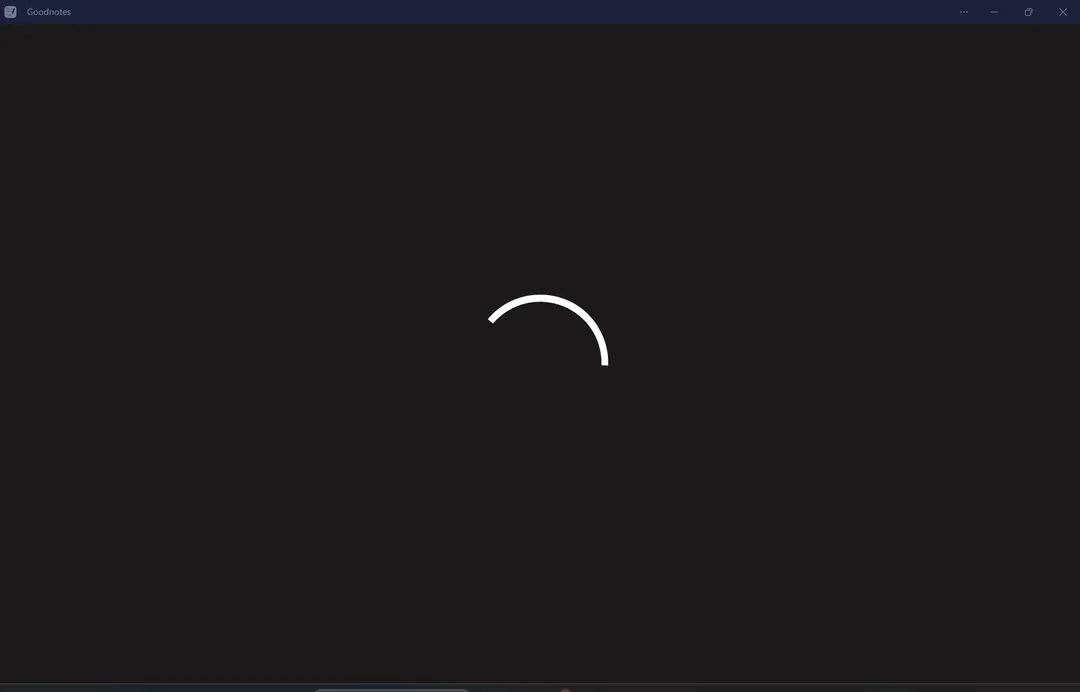
And then there is reliability. Notes are high-stakes in the moment you are writing them, so the worst time for your app to hang is exactly when you are mid-lecture trying to get a thought down before it slips away. With Goodnotes on Windows I kept bumping into little moments of friction, pages that “take so long to load” (Microsoft Store review, Feb 2026) and the odd stutter when scrolling through a heavier PDF. And I am not the only one. Other Windows users report the same, one calling it “incredibly slow and laggy, to the point that it is completely unusable” (Microsoft Store review, May 2026). Another user on Reddit reports that “Opening a folder takes 20-30 seconds”. An occasional hiccup happens in every app. However, the problem is when it keeps landing in the moments you cannot afford it. This is when you start losing trust in the tool.
These are some experiences that are very frustrating to read, from people who depend on Goodnotes on Windows.
- “Please, is there a fix for this?? It is totally unusable. :( […] Goodnotes on Surface. It stopped working completely. Tried to uninstall/install, but it didn’t help.” (Reddit, Mar 2026)
- “I’ve been using good notes for about 3 years now on windows but unfortunately the application has become so buggy and slow that even loading a page takes a while […] do I look for other alternatives on windows?” (Reddit, Nov 2025)
- “Anyone else’s app crashing constantly? it’s not consistent but it happens randomly and very often […] a lot of bugs and latency issues as of lately” (Reddit, Apr 2026)
- “The app has been crashing a lot lately (around the start of April). Happens most when I’m using a pen and moving the screen with my hand.” (Reddit, Apr 2026)
Why I now use Noteastic
The points above are exactly the problems I set out to avoid when I built Noteastic together with a friend. We did not start with a beloved iPad app and try to squeeze it onto Windows. We started on Windows and made it our home. This fundamental difference is what makes Noteastic stand out for me and even outcompete an industry giant when it comes to the note-taking experience on Windows.
Native, low-latency inking on Windows
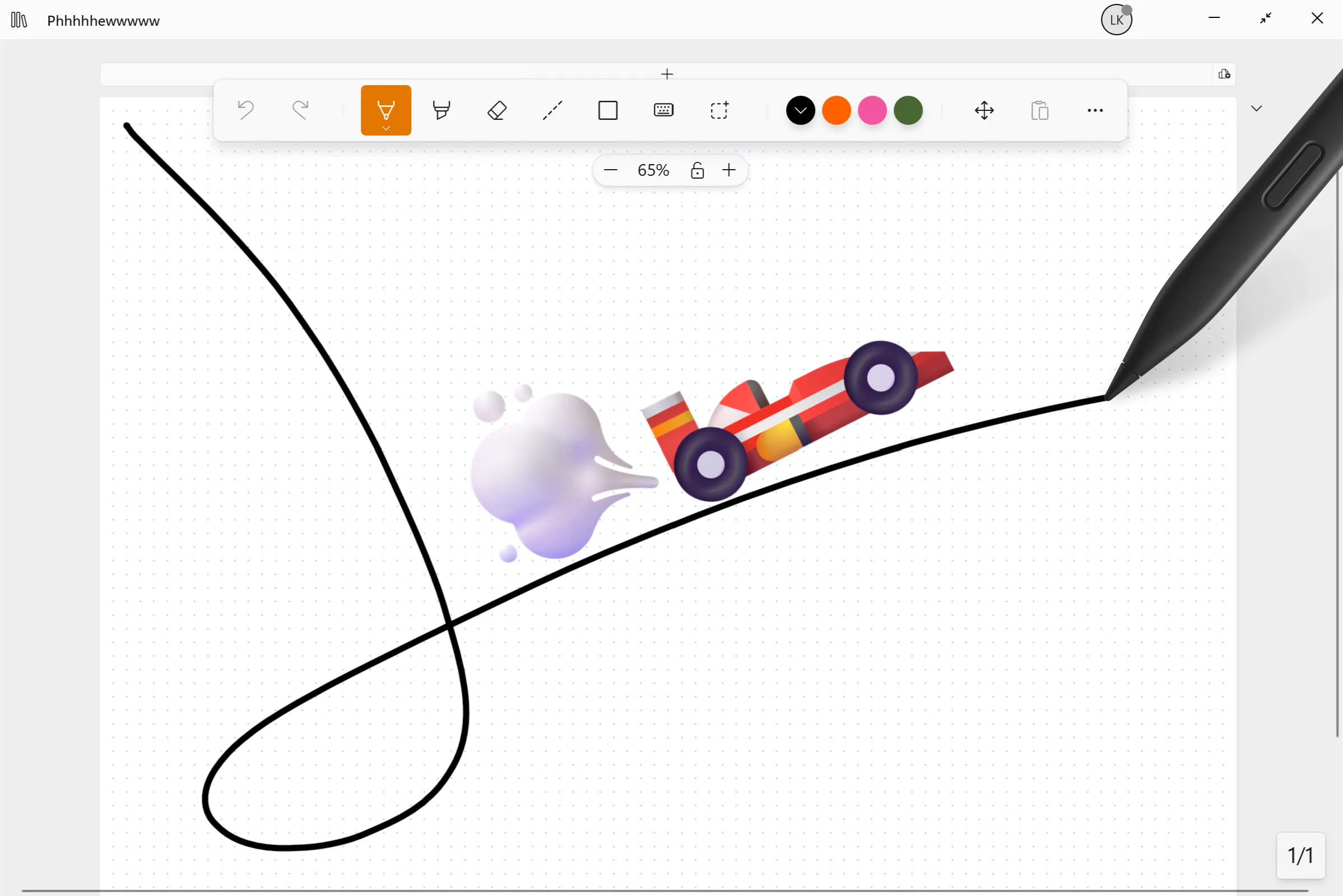
Writing is the one thing you do most in a note-taking app, so it is the one thing Noteastic had to get perfectly right. Because Noteastic is a native Windows app, it can lean on the full speed of your device and the maximum refresh rate of your screen. If you have a 120Hz panel, you actually get 120Hz, which is pretty damn smooth 😁. In practice that means the ink stroke always comes out right at the tip of your pen, no matter how fast you swish over your screen. This is exactly the writing feel I always envied on iPads, and getting it onto Windows was the whole reason I started building Noteastic in the first place. But don’t take my word for it: install it, draw a few lines, and you will feel the difference in the first ten seconds.
Light and happy to run unplugged
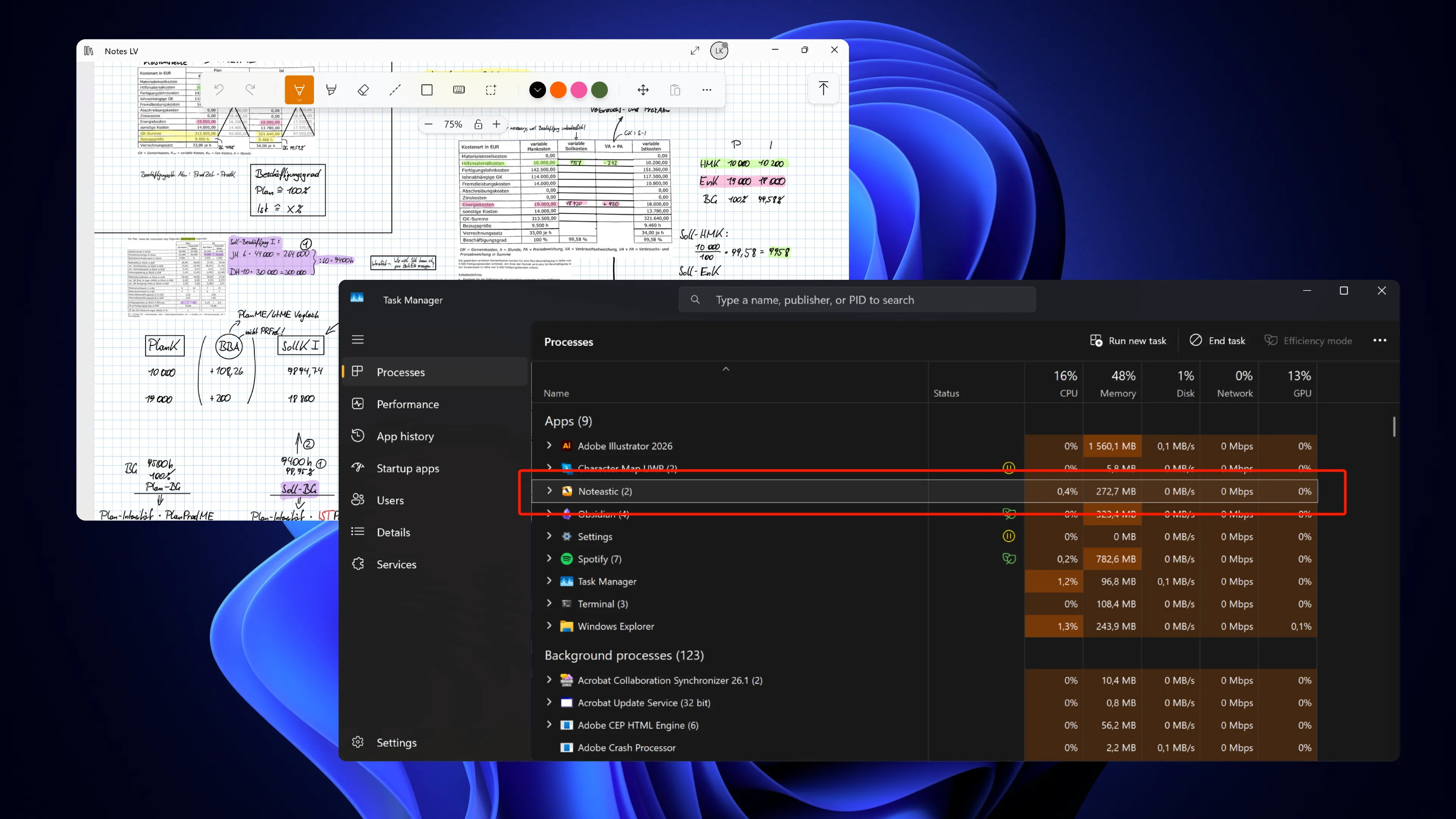
A native app does not carry the weight of a browser, so it asks less of your memory and your battery. One user from Germany who wrote to us put it simply: Noteastic uses “less than 10% of the RAM that Goodnotes used,” and his Galaxy Book “stays silent and cool” while he takes notes. That is a real achievement to us and we are happy for him! That is the kind of thing you only notice when it stops being a problem. You should be able to take notes without thinking about your charger. Also, this makes Noteastic very suitable for older and weaker devices that really depend on every percent of CPU and RAM capacity.
The essentials done right
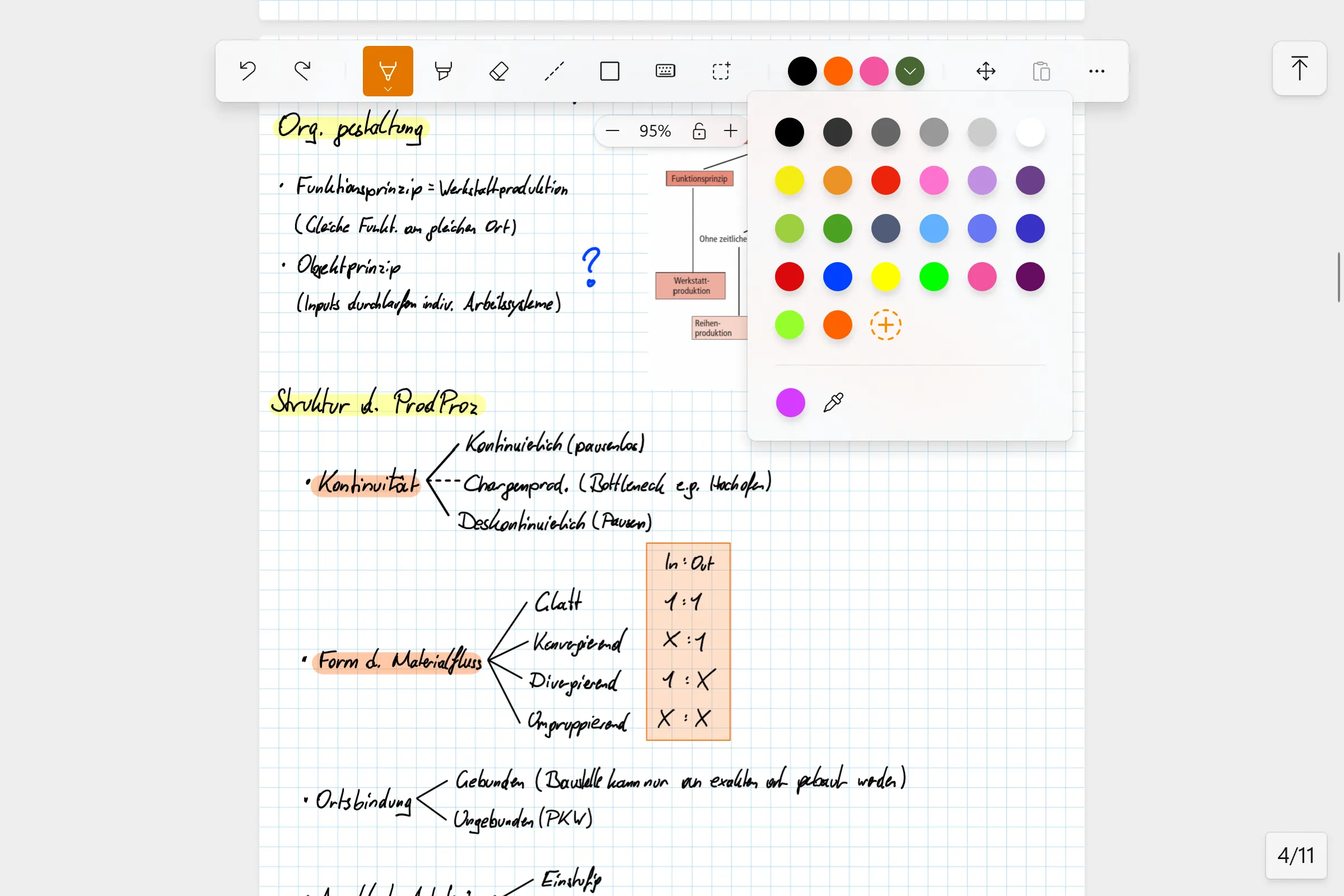
Noteastic does not try to be everything, and that is exactly the point. Instead of scattering attention across a hundred unconnected features, we put it all into one thing: the best handwritten note-taking experience on Windows. That means fluent, low-latency inking alongside pens, highlighters, shapes and lines you can fully recolor and resize after they were drawn. A library to keep your notebooks organized, and an intuitive touch interface to make the app easily navigable when you only have your bare hands and a pen with you. Also, to keep PDF imports and exports predictable and stable, we deliberately work with pages instead of an infinite canvas. All of these small things sum up to a great note-taking app that provides you with the tools you need when you need them, and hides them when you don’t. That’s the magic! 🪄
Dependable, stable, local-first
Because Noteastic keeps things simple and native, it stays out of your way when you need it most. PDFs of all sizes import and export cleanly, even large ones. And because your notes live locally on your device rather than syncing to data centers scattered around the entire globe, there are no file conflicts and no sync surprises 😀. A user from Belgium summed up her experience with Noteastic quite cleanly: “I regret not discovering Noteastic sooner, it’s free and even better than both paid apps! The app is fluid and fast, no issues writing or importing PDFs, even large ones.” (shared on our blog). It simply works, which is the only thing you should have to think about during a lecture.
Give it a try
If Goodnotes on Windows has left you wanting, try Noteastic! It’s ready to use the second you install it, so simply check it out. I would love to hear what you think of it after you try it, and if I promised you too much in this blog 😉. Either way, happy note-taking!
-Lukas
Co-Founder and CEO of Noteastic
References
All citations from the Microsoft Store were drawn from the Goodnotes listings for the US and Germany respectively: apps.microsoft.com (US) and apps.microsoft.com (DE).
Reddit (r/GoodNotes)
- “Everything is lagging and just writing one word takes AGES.” (reddit.com, Oct 2025, Reddit)
- “The application has become so buggy and slow that even loading a page takes a while.” (reddit.com, Nov 2025, Reddit)
- “Suddenly in the Windows App, my strokes are unbelieveably delayed.” (reddit.com, Mar 2026, Reddit)
- “It is totally unusable.” (reddit.com, Mar 2026, Reddit)
- “The app has been crashing a lot lately.” (reddit.com, Apr 2026, Reddit)
- “Anyone else’s app crashing constantly?” (reddit.com, Apr 2026, Reddit)
- “Whenever I write with my stylus, the handwriting appears several seconds later.” (reddit.com, May 2026, Reddit)
Goodnotes feedback forum
- “The pen tool is very lagy and very latency, pdf opening and scrolling the pages is very lagy, not smooth.” (feedback.goodnotes.com, Mar 2026, Goodnotes Forum)
- “Because it is a web application it needs the internet to work optimally, after a while it starts to slow down.” (feedback.goodnotes.com, May 2026, Goodnotes Forum)
Third-party review
- “The Windows app is web-based and can be laggy compared to the iPad version.” (affine.pro, Jun 2026, affine.pro)
Microsoft Store reviews, US
- “It’s very laggy and straight-up just won’t load some files.” (Microsoft Store, Jan 2026)
- “It’s a PWA that consumes more RAM and does not perform as good as some native apps like inkodo or onenote.” (Microsoft Store, Jan 2026)
- “The occasional crashes where my goodnotes app goes black.” (Microsoft Store, Jan 2026)
- “Now pages take so long to load, same with syncing.” (Microsoft Store, Feb 2026)
- “Burning up my battery or heating up the computer and slowing everything down.” (Microsoft Store, Feb 2026)
- “App is slow, cannot have multiple windows open of goodnotes.” (Microsoft Store, Mar 2026)
- “The response to clicking tabs is very very slow.” (Microsoft Store, Mar 2026)
- “It’s pretty laggy and you can’t sync documents across devices.” (Microsoft Store, Mar 2026)
- “My pen markings taking 2 seconds to register.” (Microsoft Store, Mar 2026)
- “This app has become the slowest thing every.” (Microsoft Store, Apr 2026)
- “Incredibly slow and laggy; it crashes after sending just 2 or 3 files.” (Microsoft Store, Apr 2026)
- “Im trying to write or draw in goodnotes its missing pen strokes.” (Microsoft Store, Apr 2026)
- “Buggy, randomly lags, makes me exit and go back in because it wont load.” (Microsoft Store, Apr 2026)
- “Goodnotes takes forever to load.” (Microsoft Store, Apr 2026)
- “Incredibly slow and laggy, to the point that it is completely unusable.” (Microsoft Store, May 2026)
- “It now takes over 30 seconds to fully load ONE page to the point it’s usable.” (Microsoft Store, May 2026)
- “I’m using this on my Lenovo Yoga laptop and doesn’t even work with the pen.” (Microsoft Store, May 2026)
- “The loading/buffering makes doing anything so frustrating.” (Microsoft Store, May 2026)
- “App frequently crashes and freezes. Very poorly optimized for windows.” (Microsoft Store, Jun 2026)
Microsoft Store reviews, Germany
- “Extrem lange Ladezeiten der Notizhefte.” (Microsoft Store, Jan 2026)
- “Beim Starten wird das Fenster geöffnet, aber nicht das Programm selbst.” (Microsoft Store, Jan 2026)
- “Der App ist ziemlich langwierig, da es dermaßen langsam ist.” (Microsoft Store, Jan 2026)
- “Jedes Mal wenn ich meinen Lenovo Pen benutze und danach exportiere hängt es und danach fehlt alles.” (Microsoft Store, Jan 2026)
- “Die Ladezeiten für eine Notizen App sind ewig.” (Microsoft Store, Jan 2026)
- “Immer wieder Abstürze, neu laden und spätes Aktualisieren der Seiten, für Windows Katastrophe.” (Microsoft Store, Jan 2026)
- “Im Generellen braucht es immer sehr lang bis die nächste Seite im Dokument lädt.” (Microsoft Store, Jan 2026)
- “Oftmals hängt es.” (Microsoft Store, Feb 2026)
- “GoodNotes Web wirkt unfertig und fehleranfällig.” (Microsoft Store, Feb 2026)
- “Es lädt sehr lange, bis sich meine Notizen öffnen.” (Microsoft Store, Feb 2026)
- “Die langen Ladezeiten finde ich aber alles in Allem am schlimmsten.” (Microsoft Store, Mar 2026)
- “Im letzten halben Jahr kaum noch richtig funktioniert und ist die ganze Zeit abgestürzt.” (Microsoft Store, Mar 2026)
- “Seit dem Update lässt sich leider nur noch 1 Fenster öffnen, lädt teilweise sehr sehr lange.” (Microsoft Store, Mar 2026)
- “Eine billige Browser-Anwendung mit ewigen Ladezeiten, vielen Bugs und weniger Funktionalität.” (Microsoft Store, Mar 2026)
- “Nichts lädt gescheit, es lagt unfassbar und dafür nehmen die Geld.” (Microsoft Store, Apr 2026)
- “Besonders beim Heranzoomen unfassbar langsam (Gerät mit 16 GB RAM).” (Microsoft Store, Apr 2026)
- “Zurzeit stürzt diese ständig ab und beim Neustart merkt er sich nicht an welcher Position ich war.” (Microsoft Store, Apr 2026)
- “Die App ist leider deutlich zu langsam.” (Microsoft Store, May 2026)
- “Seit dem letzten Update im Grunde nicht mehr auf einem Surface nutzbar.” (Microsoft Store, May 2026)
- “Unter iOS okay, aber unter Windows nicht lauffähig.” (Microsoft Store, May 2026)
- “Beim Schreiben kommt es häufig zu verzögerten Reaktion des Systems.” (Microsoft Store, May 2026)
- “Lädt viel zu lange, hängt sich auf.” (Microsoft Store, May 2026)
- “Läuft sehr langsam, hängt sich regelmäßig auf.” (Microsoft Store, May 2026)
- “Die Synchro ist schlecht, es hakt oft und die Funktionen sind eingeschränkt.” (Microsoft Store, May 2026)
- “Aus dem Nichts werden offene Dateien geschlossen.” (Microsoft Store, Jun 2026)
- “Hat wenig FPS und stürzt ab, wenn ich nach Energie Sparen die App wieder nutzte.” (Microsoft Store, Jun 2026)
- “Warum zahl ich für eine App die bei nicht iOS Geräten dann massiv lange Zeit braucht zu laden.” (Microsoft Store, Jun 2026)
- “Die App öffnet sich gar nicht mehr.” (Microsoft Store, Jun 2026)
- “Es lädt die Seite immer wieder neu, flackert, lädt sehr lange, einfach nur nervig.” (Microsoft Store, Jun 2026)
All data cited and all sources listed in this blog were last fetched and viewed on 1 July 2026.