Introducing Text Boxes to Noteastic. Now you can type alongside your handwriting!
Text boxes were your number one request
Once upon a time, when Dilan and I were envisioning the future of Noteastic, we talked about the coolest and most impactful features we could ever add to our small software project. Among them were text boxes. Back then it was unimaginable for us to ever implement this feature into the app because the ‘basic’ note-taking was by far not in place yet.
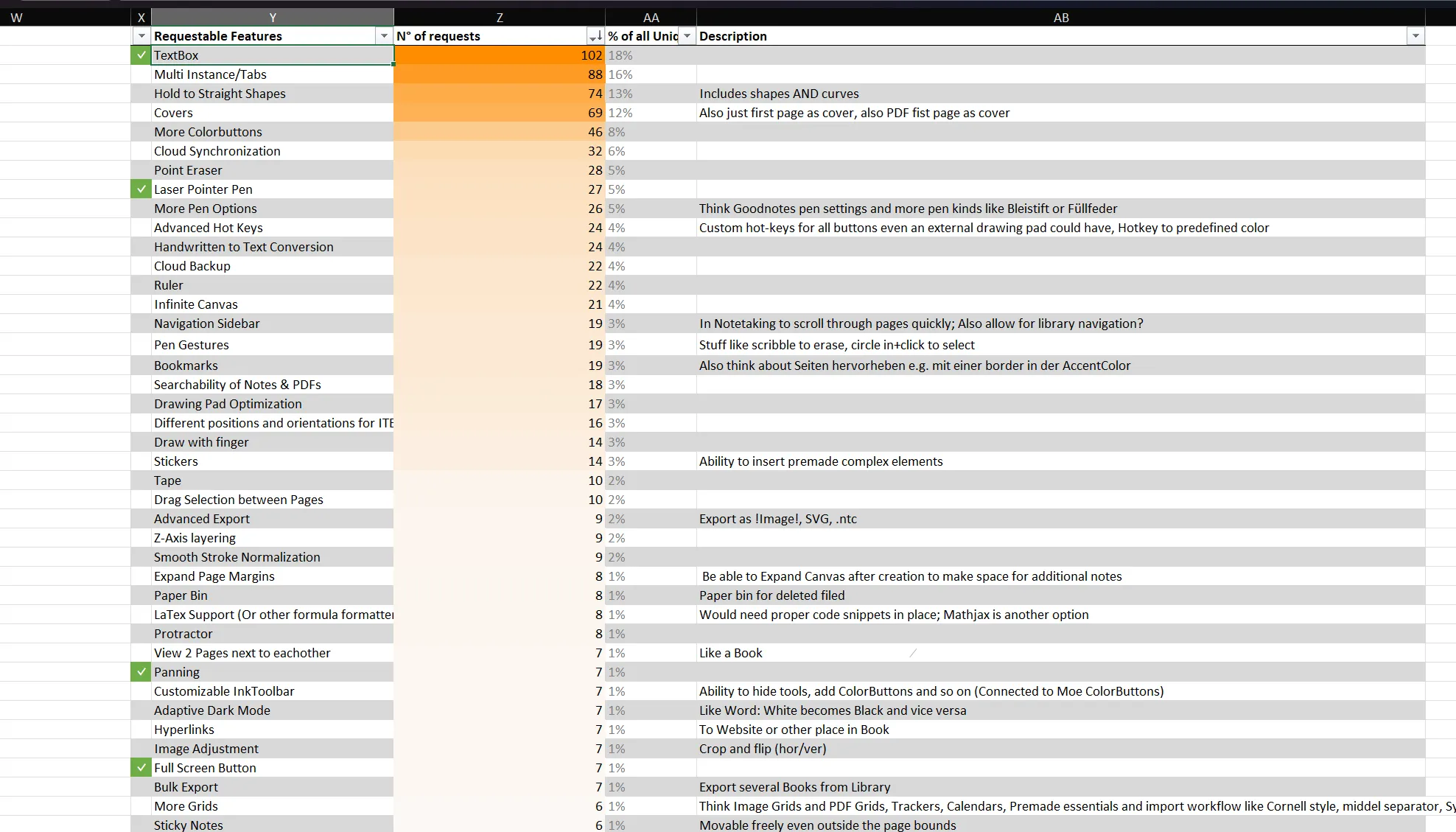
Fast forward a couple of years and Noteastic is released, a small community is built and we are flooded with constructive feedback every week. People from all around the world are sending us emails stating that Noteastic fills a critical gap in their university life and providing us with wishes for features. And what do people wish for the most? Text boxes. Roughly 20% of all feature requests we have ever received ask for the implementation of text boxes. Here you have a snippet of our ‘World Wide Feedback’ Excel table, where we gather all feedback we receive across our channels:
So time has come to approach this brute of a feature. What a beautiful realization that the app is in a state where we can confidently start working on features that are not directly connected to handwriting!
Designing text boxes for a handwriting-first app
My goal when designing Noteastic was always to make the process of taking notes as quick and easy as possible. When using the app, you should not think about how and where to find a feature, you should simply be able to take your stylus and start working while forgetting that you are actually using a complex application. I wanted to convey the same feeling with text boxes. You should be able to insert text when you need it, quickly and easily.
But actually text is quite a complex element with hundreds of possible settings. From different fonts over colors to alignments, enumeration and font weights… But we needed to keep in mind that Noteastic still is a handwritten first application. We cannot replicate Microsoft Word. That’s not the goal. And we don’t want to. We also took inspiration from applications like Canva that already feature amazing workflows with text boxes on an open canvas.
I needed to get an overview over what we want and what we don’t want to make space for in the application. So I opened a notebook in Noteastic and started writing down my thoughts, just as I always do.
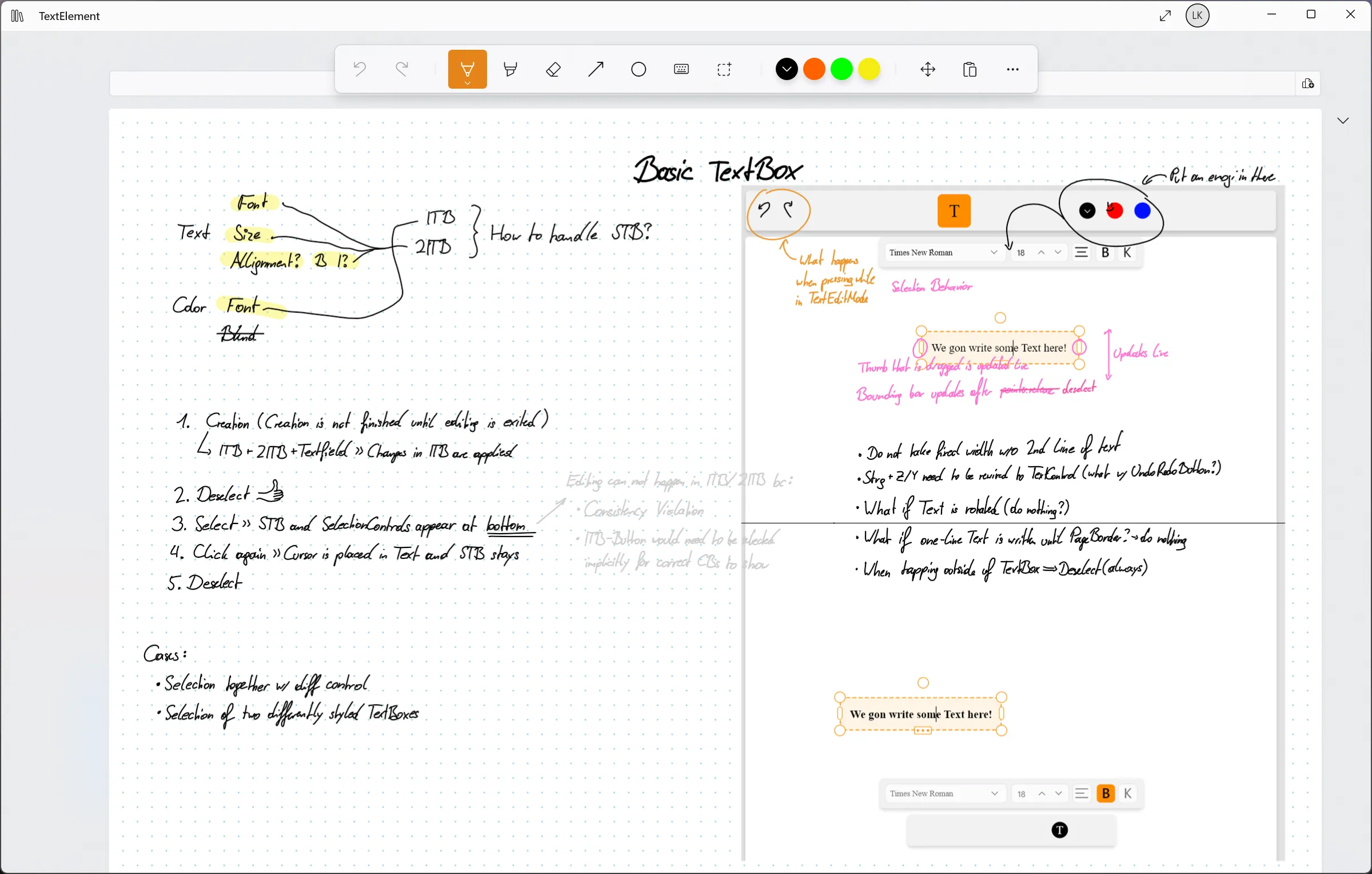
After many discussions with Dilan about where and how to put the chosen features I finally came to a clear vision that looked something like this:
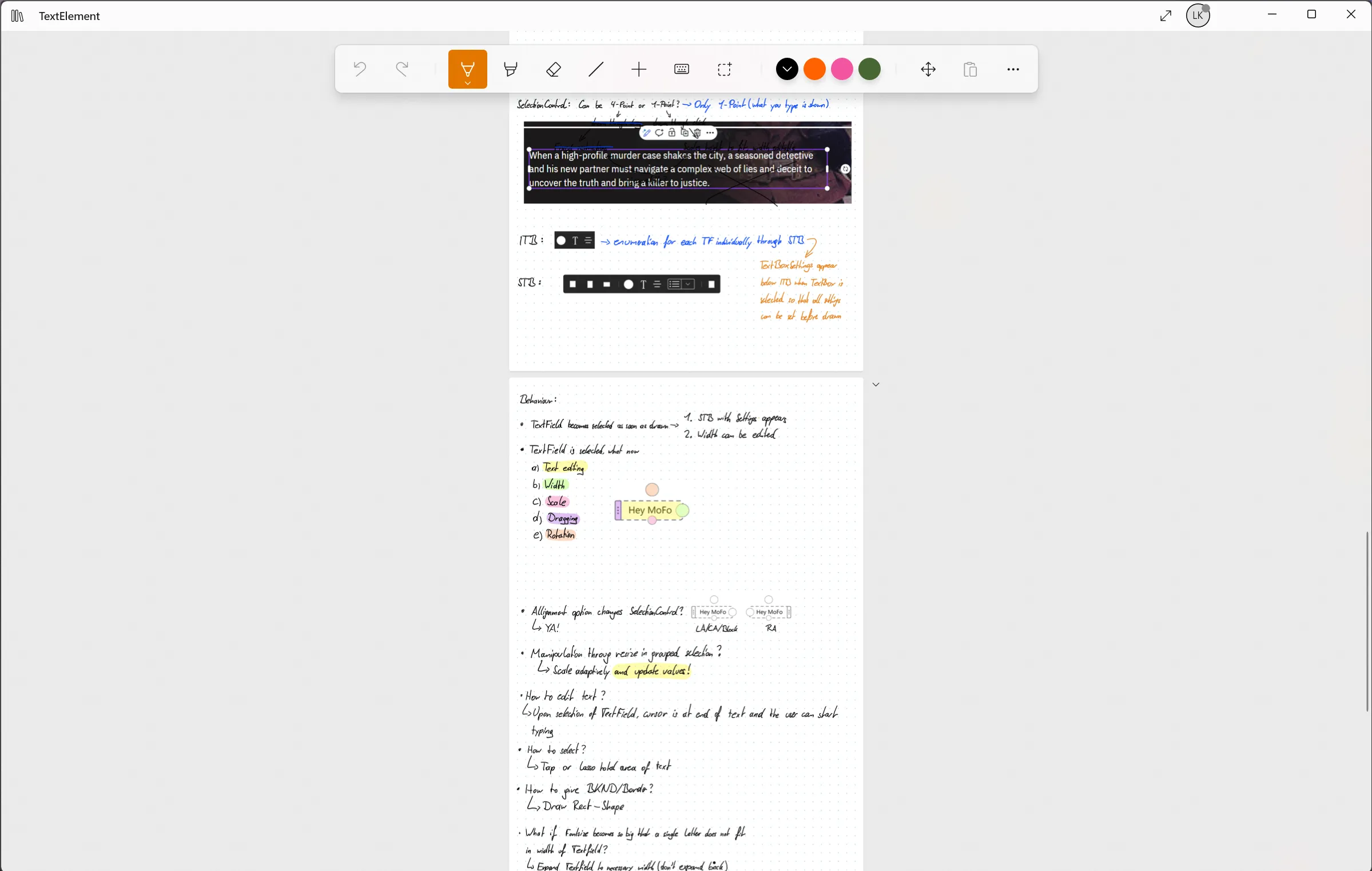
With this clarity I started writing down my specification as a user story, i.e. a description of a feature out of the eyes of the user. This is a critical step in our development workflow, because the written specification is the development guideline for Dilan. For that purpose we utilize Obsidian, an amazing annotation tool for complex systems. Text boxes were by far the most complex feature I had designed yet. It had implications and extra treatments in all areas of the note-taking experience inside Noteastic. It was quite a bit to note down and handle. These are all the different files that I created to formalize text boxes:
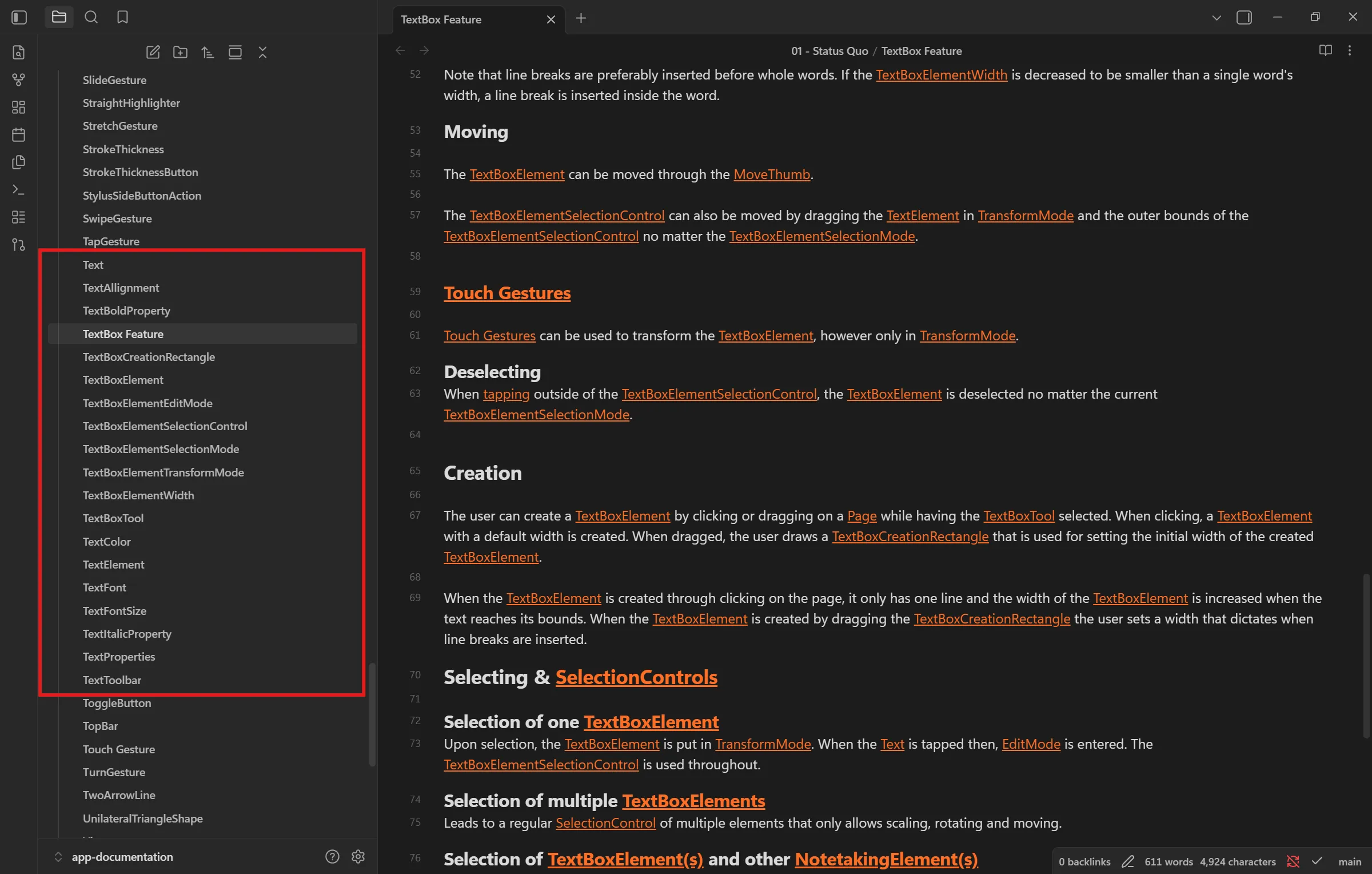
As of now the specification involves 21 separate files of connected elements and further specifications. That’s a lot! Each file is composed of definitions and explanations. This is a sneak peek into the feature’s core file:
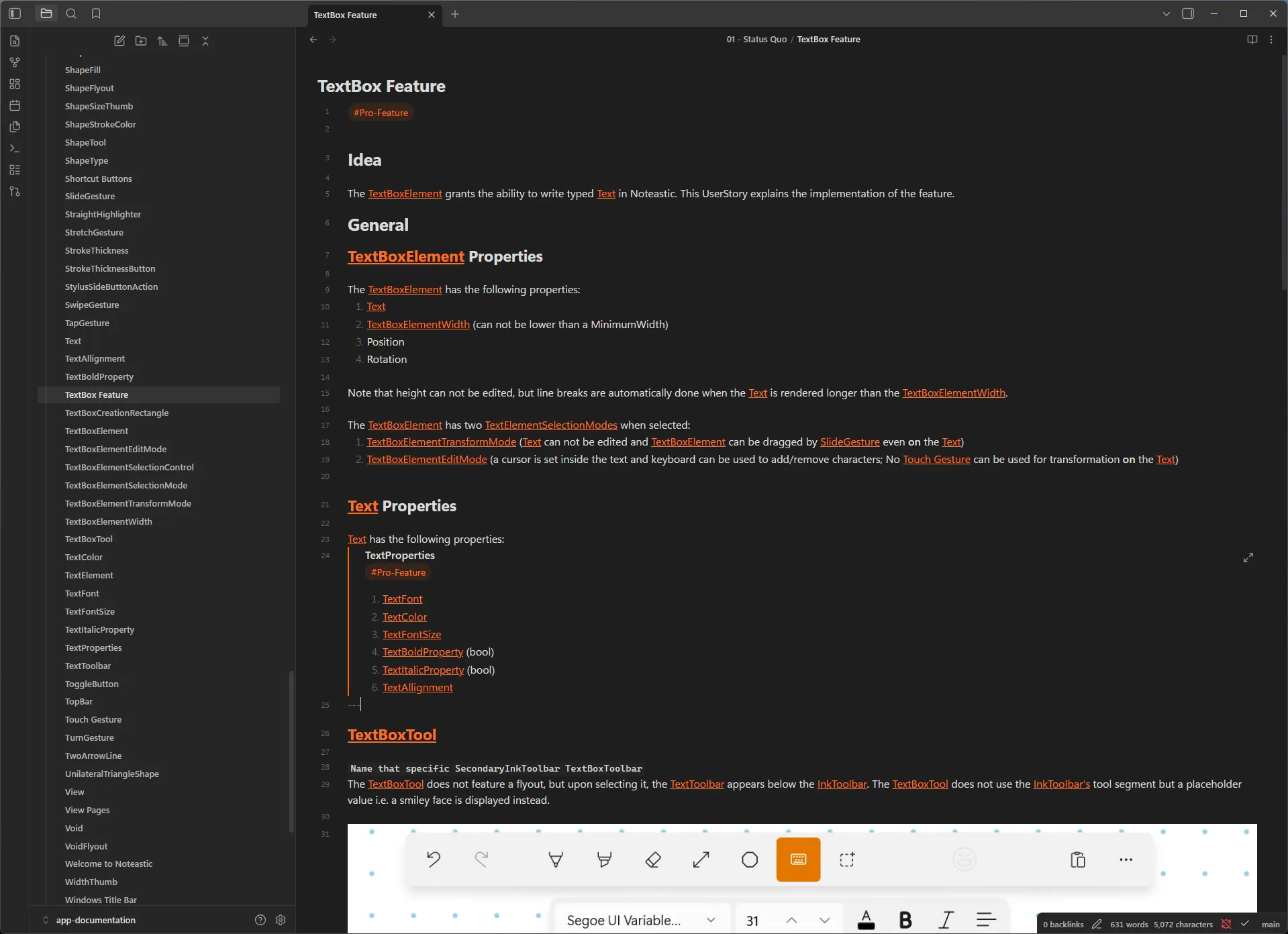
After discussing again with Dilan and amending my concept here and there we deemed the specification final and the most difficult part, development, started 😎.
Everything you can do with text boxes in Noteastic
I wanted Dilan to write a few sentences here, but he said no :D.. we love Dilan!
I can at least give you a list of all the features Dilan implemented into text boxes. I am amazed by how much this ‘simple’ feature actually lifts.
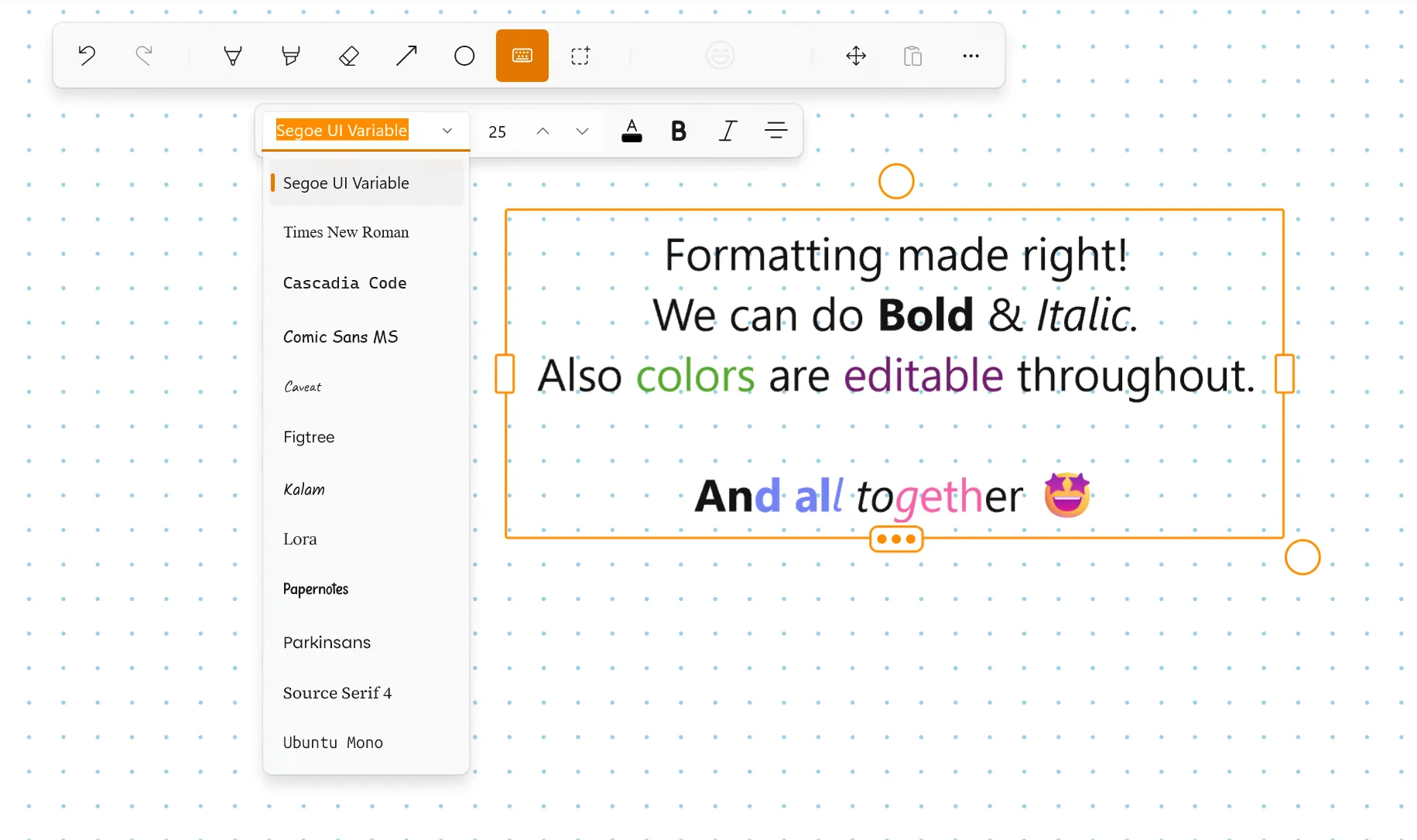
Text Formatting
- Bold (Ctrl+B)
- Italic (Ctrl+I)
- Custom text color per character / selection
- Font family (You can add more than the four default fonts manually. We will add this as a built in functionality in the next update.)
- Font size
- Text alignment: Left / Center / Right
Editing
- Undo / Redo
- Copy / Cut / Paste of text snippets
- Copy without selection copies the entire line
- Delete word backward (Ctrl+Backspace) and forward (Ctrl+Delete)
Navigation
- Jump by word (Ctrl+Left / Ctrl+Right)
- Line start / end (Home / End)
- Text box start / end (Ctrl+Home / Ctrl+End)
- Vertical arrow keys preserve horizontal column position across lines
Selection
- Double-click selects the word under cursor
- Triple-click selects the whole line/paragraph
- Quadruple-tap selects all
- Shift+click extends the current selection
- Touch/pen selection grippers, drag to fine-tune selection bounds
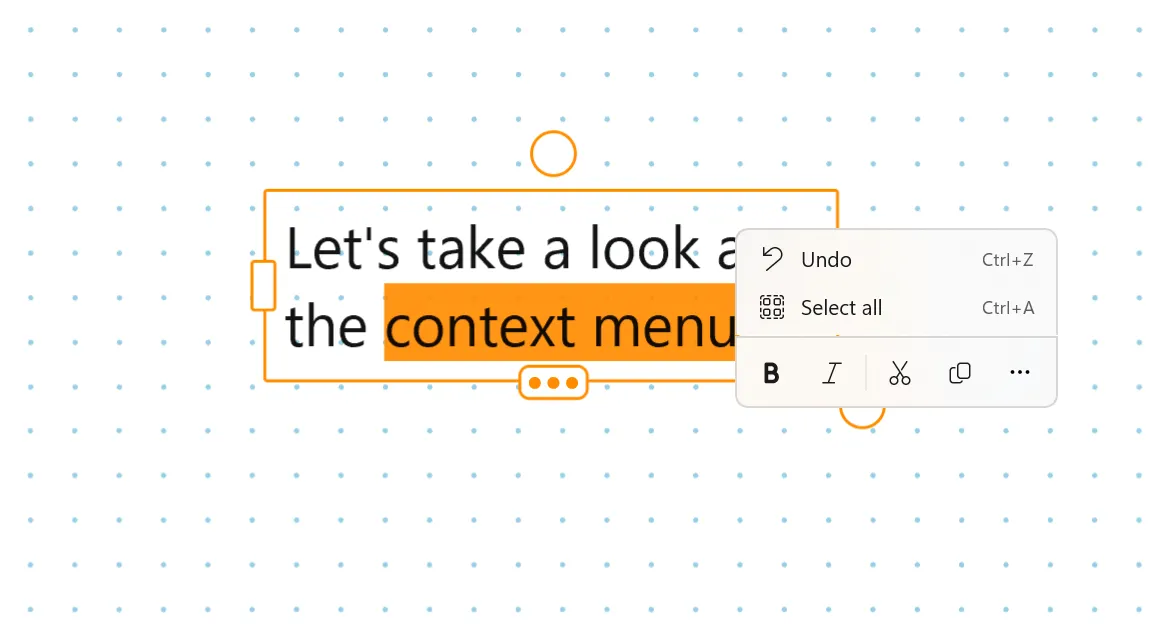
Context Menu
- Right-click (mouse) or multi-tap (touch/pen) opens a context menu with formatting and clipboard actions; placement avoids covering the selected text
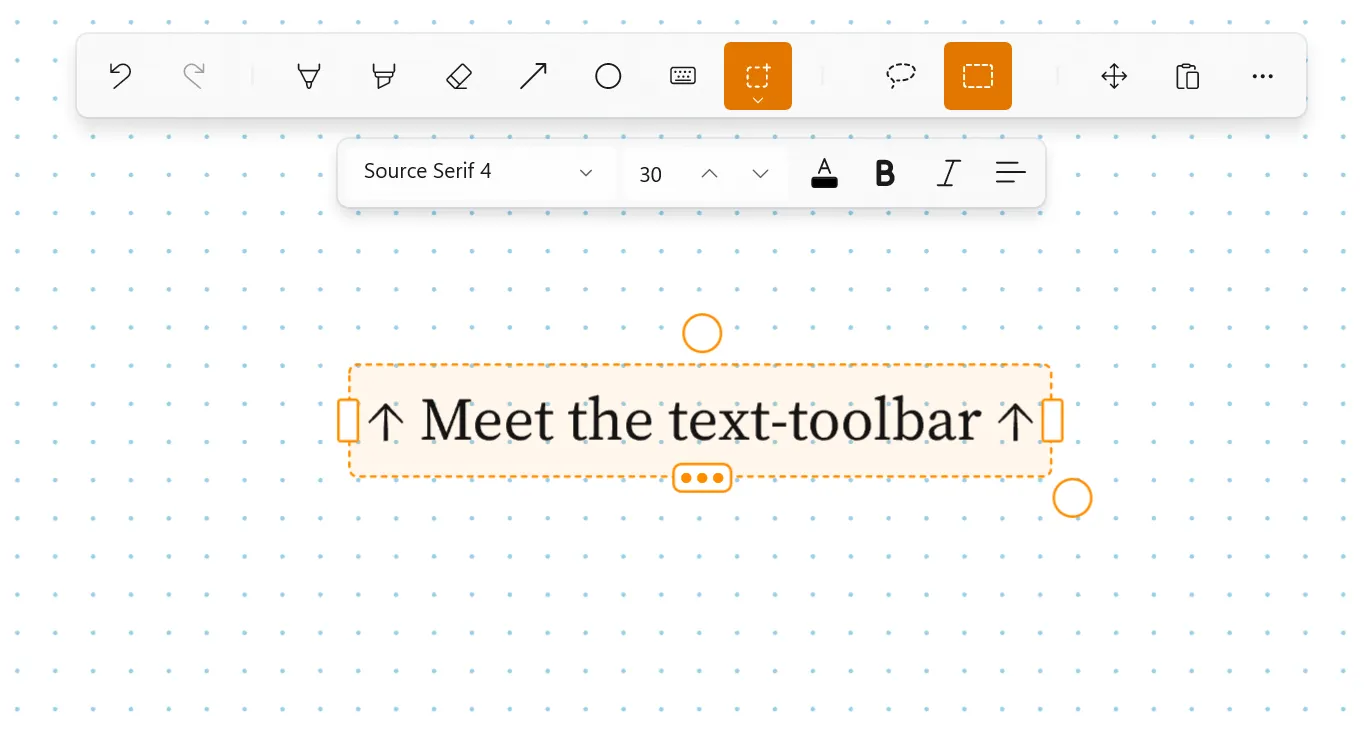
Floating Text-Toolbar
- Formatting toolbar (font, size, color, bold, italic, alignment) attaches to the active textbox and resets to global defaults when nothing is focused
UX Conveniences
- Auto-scroll keeps the cursor visible as you type
- Content shifts up automatically when the on-screen keyboard is docked, preventing the keyboard from covering the cursor
And in case you are asking yourself: yes, you really have to implement all these small things by yourself. It’s a lot.
Typing alongside your handwriting on Windows
We are confident that this feature is a gigantic improvement to productivity. Now you can make use of your keyboard alongside your handwriting. Also, I’m happy to have given you a neat introduction to the inner workings of development at Noteastic. I think it’s apparent that developing an app like Noteastic, an app with a clear goal and use case, is a tedious task that requires balancing depth and breadth of every single addition in order not to dilute the core experience. And this is the very reason we value your feedback so much. Because we build the app for you! If we miss something or implement features in a way that is not convenient for you, it is your power to tell us and give us a push in the right direction! 🧡
Contact us via contact@noteastic.app, at r/Noteastic or send us your feedback within the app!
-Lukas
Co-Founder and CEO of Noteastic