The Best OneNote Alternative for Handwritten Notes
Introduction
OneNote is an application that everyone has already heard of. Most people who work on Windows have probably used it at some point, too. At first glance, it seems promising, but sooner or later, you will most likely ask yourself: “Isn’t there something better out there?”
And for handwritten note-taking, the answer is: Yes, Noteastic! This app was born from the idea of making handwritten note-taking on Windows as clean, smooth, and focused as possible for students and professionals alike. That was a goal OneNote was never intended to meet. It’s true that OneNote does some things uniquely well; however, if you are searching for an app that makes handwritten note-taking on Windows simply feel effortless and beautiful, let me explain why Noteastic is the best fit for you.
In this blog post, I’d like to share what sets Noteastic apart from OneNote and why our design choices lead to the ‘Apple feeling on Windows’ Noteastic is known for. Because none of this is accidental. If you are curious about the design choices and priorities behind Noteastic, give my opinion on what makes a good note-taking app a read.
What Noteastic does better than OneNote
PDF Workflows
I speak with OneNote users a lot… or rather, the people who switch from OneNote to Noteastic. Many of them are students, and when it comes to PDF workflows, there are two recurring friction points I hear nearly every time: (1) PDF imports are sluggish and unstable, especially with large or long documents; and (2) OneNote’s infinite-canvas approach makes exporting notes unpredictable. Annotations and pages get misaligned, cropped, or split across the wrong pages. This is frustrating when you actually need to export a clean and readable document to hand in or share with peers.
In Noteastic, we made the deliberate decision to primarily work with pages rather than an infinite canvas. This makes importing and exporting of files refreshingly straightforward. What you see in Noteastic is exactly what you get in your PDF, every time. Also, Noteastic handles PDFs of all sizes very well. If you still encounter problems with PDFs, please let us know, and we will fix them. PDFs are sometimes Pandora’s box and can cause unexpected trouble. But generally, Noteastic was designed to make working with PDFs smooth and reliable.
Modernity
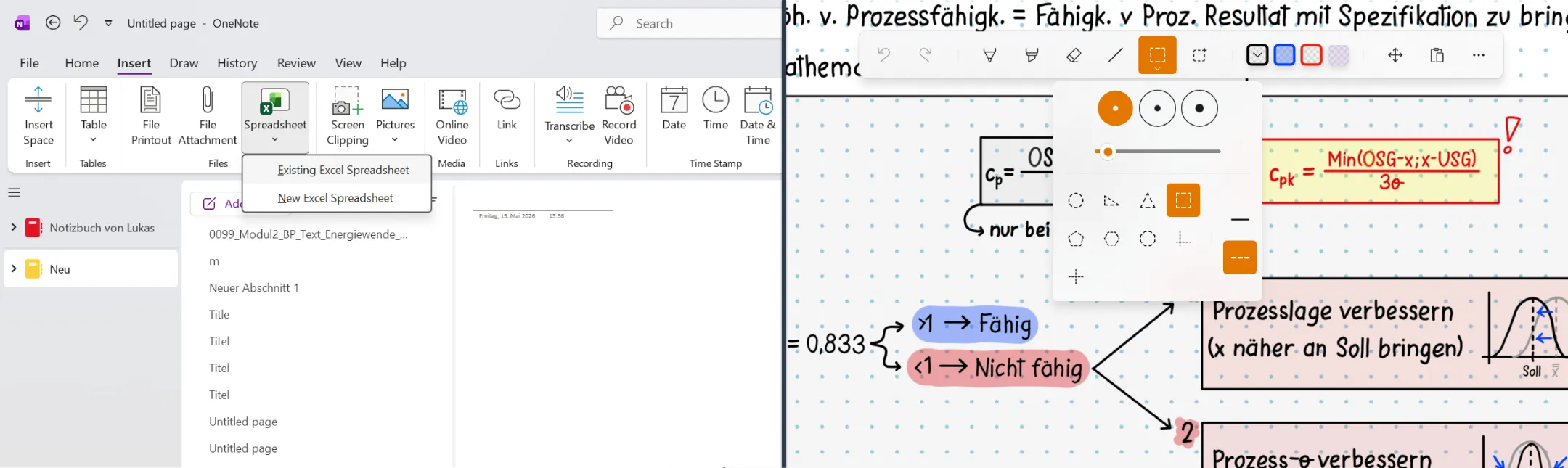
There are some very obvious, though sometimes difficult to pinpoint, contrasts between OneNote and Noteastic. Generally, I would call the UI and layout of OneNote ‘naturally grown’ and maybe even a bit clumsy from years of added features. In contrast, I designed Noteastic to be a focused environment that offers you the tools you need as quickly and intuitively as possible, without obstructing your view and keeping things simple. This is why the top thirds of OneNote and Noteastic barely compare:
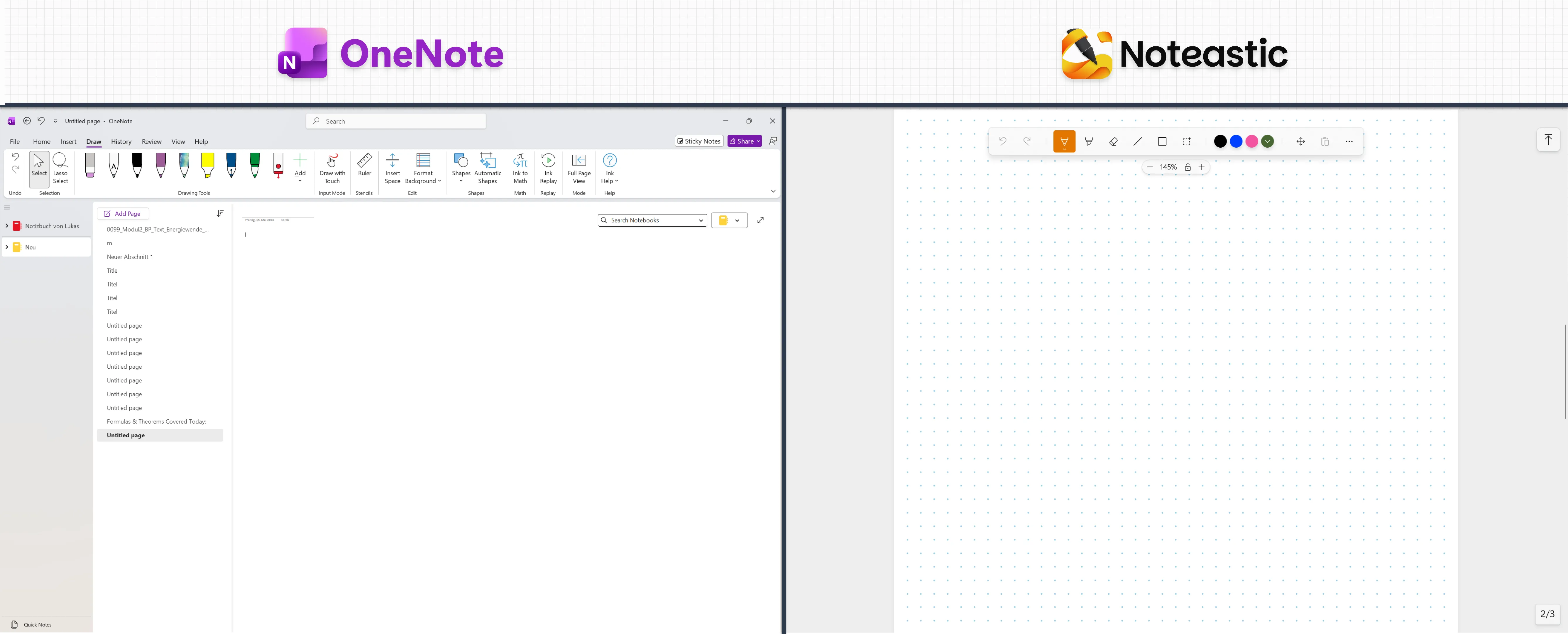
It is quite visible that OneNote and Noteastic follow different workflows and design philosophies. While OneNote tries to be an open-canvas tool for everything and everyone, we want Noteastic to ‘simply’ be the best app for handwritten note-taking on Windows — this is our conviction and goal. That’s why in OneNote, you’ll find features like “Insert an Excel Spreadsheet”, which, I can promise you, will never make it to Noteastic. It doesn’t fit our focus.
Touch Interaction
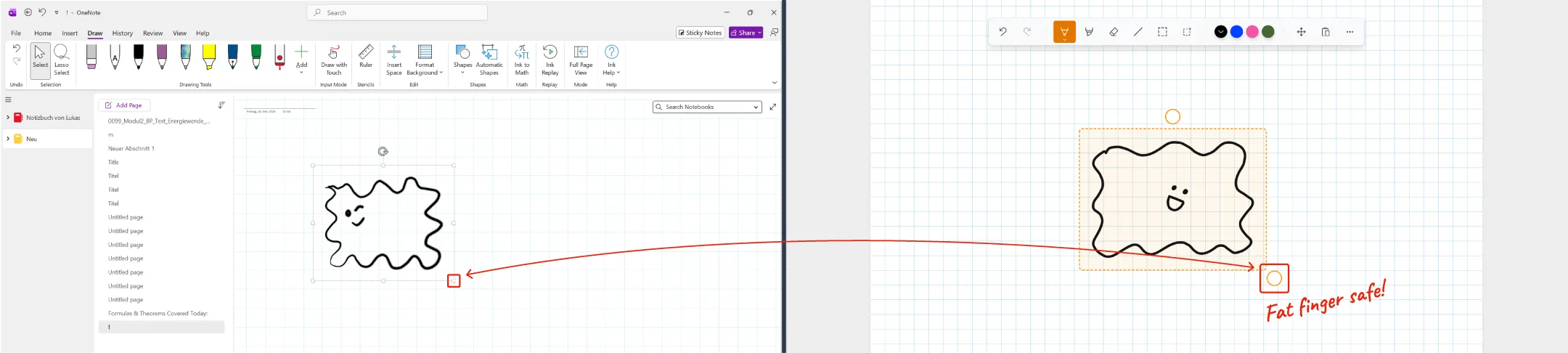
A general observation I have concerns touch accessibility. When optimizing an app for touch input, it’s important to make clickable things relatively big and chunky. This is to make them nearly impossible to miss, even with a wobbly tap of the finger. OneNote feels and looks like any other mouse-focused application, and I find it difficult, even a bit annoying, to navigate it solely using touch. Noteastic may look simpler and less dense, but larger click targets make interacting with the app so much smoother. Take corner thumbs for resizing a selection of elements. Noteastic gives you about 4x the area to grab compared to OneNote!
Colors
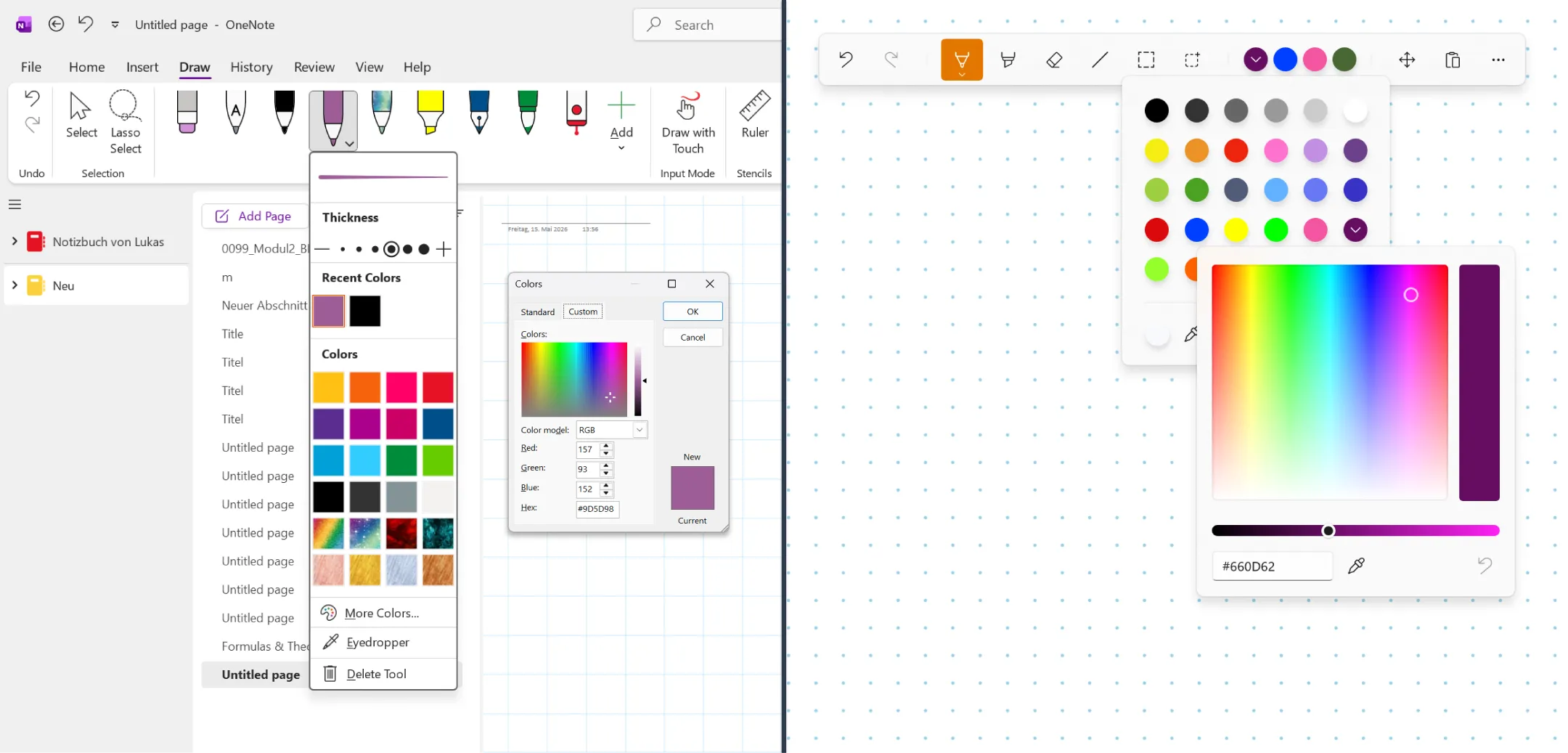
Another topic that’s been important to me since the earliest days of Noteastic is offering as much color freedom as possible. Where feasible, we aim to let you fully customize the colors of elements such as pages, pen strokes, and grid lines. But customization itself isn’t enough. I am a bit of a color fanatic in secret… so the ability to sort, edit, and save the colors I work with matters a lot to me. And this is why Noteastic lets you freely choose the color of your pages, your grid lines, your pen and highlighter strokes, and of every shape and line you can draw. Most importantly, it does so in a smooth and easy way, which is where OneNote and Noteastic diverge. While OneNote also lets you change colors, I personally find it very difficult to save and sort them properly. What OneNote offers, however, are eight preset rainbow pens and a five-click journey through flyout and dialog windows every time you want to set a custom color.
Maintenance and Updates
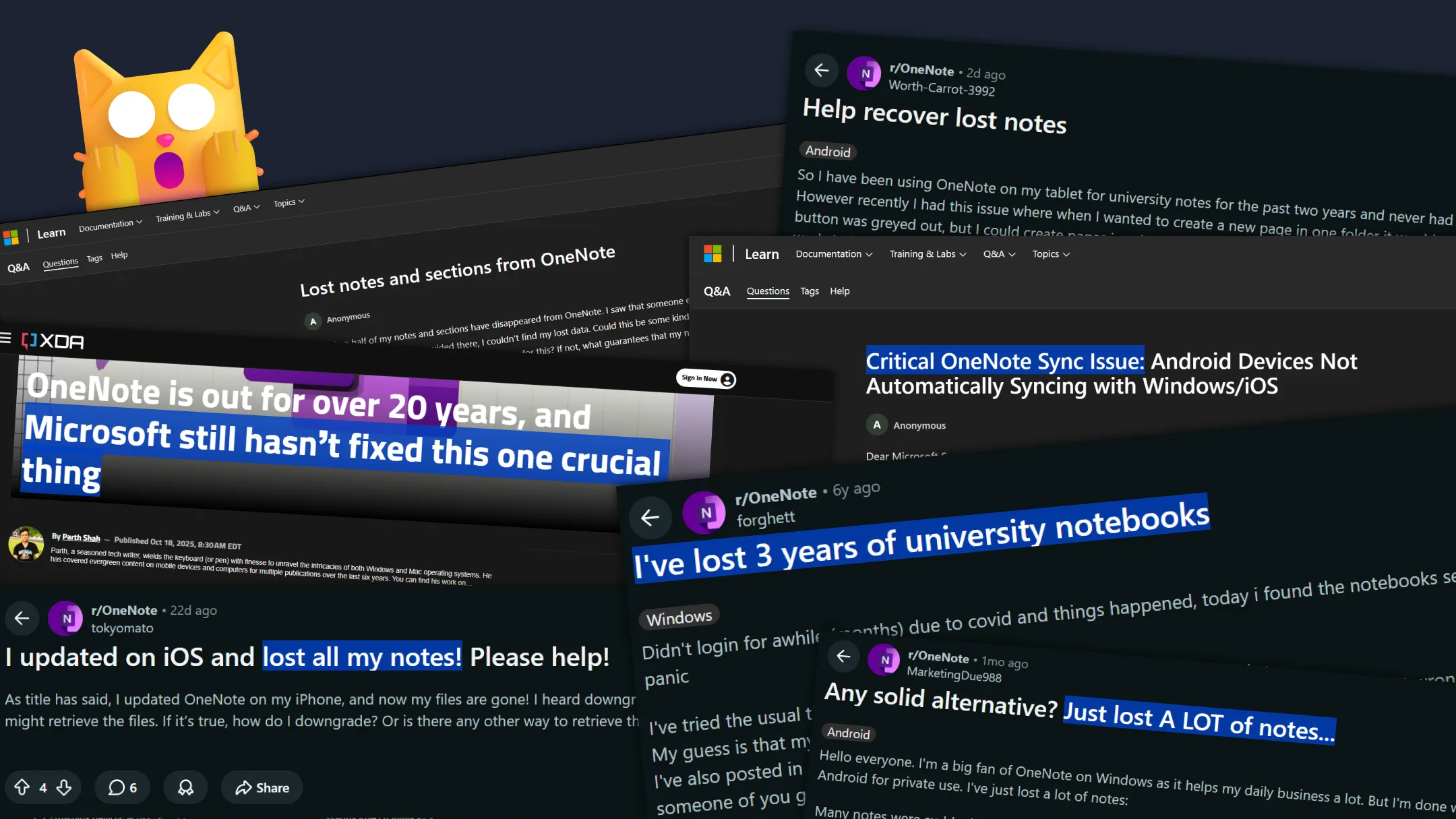
OneNote may be old, but it is certainly not abandoned. Microsoft still ships updates and features every few months. But unfortunately, some things just stay broken. Sync and data-loss issues have been a recurring complaint for over TWENTY YEARS. Current users still report vanished notebook contents and partial sync data loss on Microsoft’s own Q&A forum and r/OneNote which makes my heart bleed a little. OneNote is an actively maintained software, yet no one can guarantee you that the notes you create in OneNote today will still exist in two years… That is quite a thing, in my eyes.
Noteastic, on the other hand, took a simpler approach. We do not offer cloud syncing, which means your data lives fully and exclusively on your device. There is no data loss, no file conflict, and simply no troubles with file versions. The only thing you need to do is back up your notes every now and then. Importantly, Dilan and I develop Noteastic in a purely community-driven way. We only develop features that were requested on r/Noteastic, sent to us via email or suggested via in-app feedback. So if you’re missing a feature or have some ideas for improvement, we welcome your thoughts with open arms, and your ideas have a good chance of being implemented. Take a look at our release history!
Where Noteastic can learn from OneNote
Feature richness
While I criticize OneNote on quite a few points, I still need to admit that they have some cool features I am jealous of! Stuff like shape recognition, ink-to-math recognition, or text boxes are features we simply haven’t had time to develop yet. But we are on our way!
If you have opinions on what is missing in Noteastic, I am excited to hear about them on r/Noteastic, via email to contact@noteastic.app or through our in-app feedback form!
Searchability
What is really cool in OneNote is that you can search the entirety of your notes in terms of folder names, book titles, typed text, or handwritten strokes. This is cool. And we want to add this 1000% to Noteastic. In my view, full-fledged searchability is a cornerstone necessary to make Noteastic an effective tool for managing your knowledge base.
Cloud services (with a grain of salt)
Well, even though I would not call repeated data loss admirable, I think that cloud backups and cloud synchronization in general should be a part of Noteastic in the future. Still, we will always be local-first and offer Noteastic as an offline-only software. In terms of privacy and app performance, this is our way to go.
Try Noteastic and see for yourself!
I could talk about why I am so excited about Noteastic all day long, but in the end, you have to try it yourself! I would love to hear from you after you give Noteastic a try and hope to serve you well with the app :D.
Happy note-taking!
-Lukas
Co-Founder and CEO of Noteastic